How Group Policy Impacts Logon Performance #3: WMI Filters & ILT
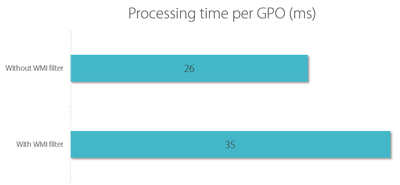
This article is based on my Citrix Synergy 2015 session and is the third in a mini-series on Group Policy performance. All measurements by uberAgent on Windows Server 2012 R2 with Citrix XenApp 7.6 in a steady state. Please start reading with the first article.
Performance/Sizing